









Tom's Hardware Verdict
The Maingear MG-1 adds more power and airflow in its new case. You get a lovely build with a ton of power, but very few of the frills that boutique systems typically offer.
Reasons to buy
- +
Extremely clean build
- +
Strong performance
- +
Lots of configuration options
Reasons to avoid
- -
Expensive
- -
Not enough front panel ports
Why you can trust Tom's Hardware Our expert reviewers spend hours testing and comparing products and services so you can choose the best for you. Find out more about how we test.
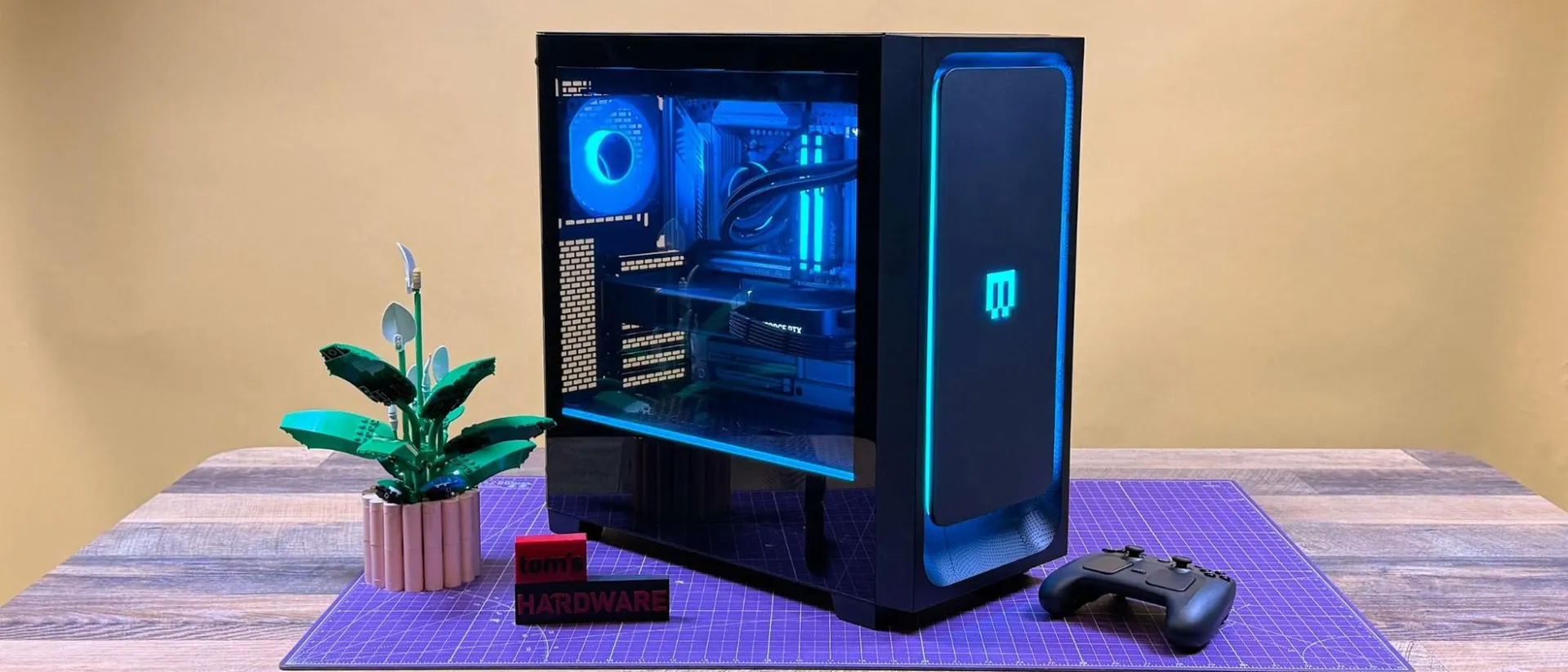
My PC has a decent case with decent parts. When I think of boutique builds, they have top-of-the-line specs with cases perfectly coated with automotive-quality paint. The revamped Maingear MG-1 in the new MK.II chassis straddles the line, with options for up to an Nvidia GeForce RTX 5090 and AMD Ryzen 9950X3D2 in a chassis that has personalization options but doesn't look like it belongs in a street race.
In our configuration, with the top CPU and GPU, that leads to a build that costs over $7,000 (that's the case for the high end on the best gaming PCs these days), though this system starts at $2,249. There are a ton of options, but the system is always a pretty standard case with a tempered-glass window and a customizable face plate. It makes for a system that you wish you'd built, but without all of the bells and custom tubing whistles that some boutique systems get into.
Design of the Maingear MG-1 (2026)
The Maingear MG-1's new chassis, the MK.II, is a very standard mid-tower. It's rectangular without too many frills. It's a black aluminum box with a window on the left-side panel with ample views of the components, RGB lighting, and very clean cable management, thanks largely in part to the motherboard's rear-side connectors. Other than the blue power button on the top to serve as an accent, it's pretty standard.
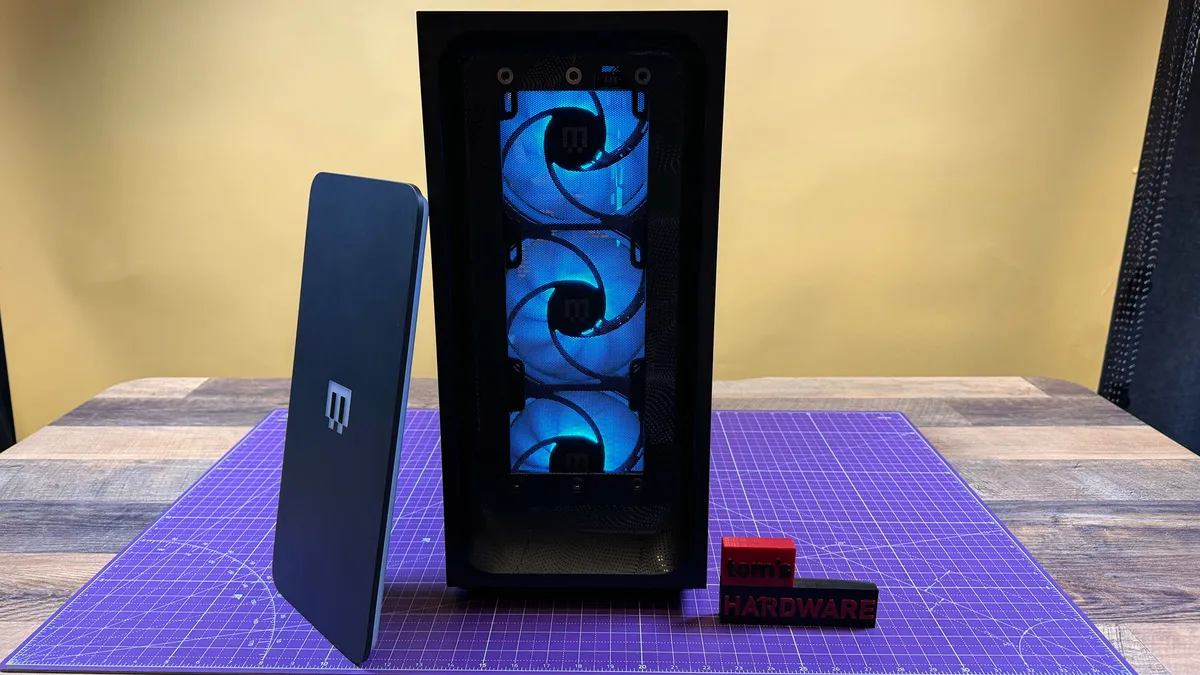
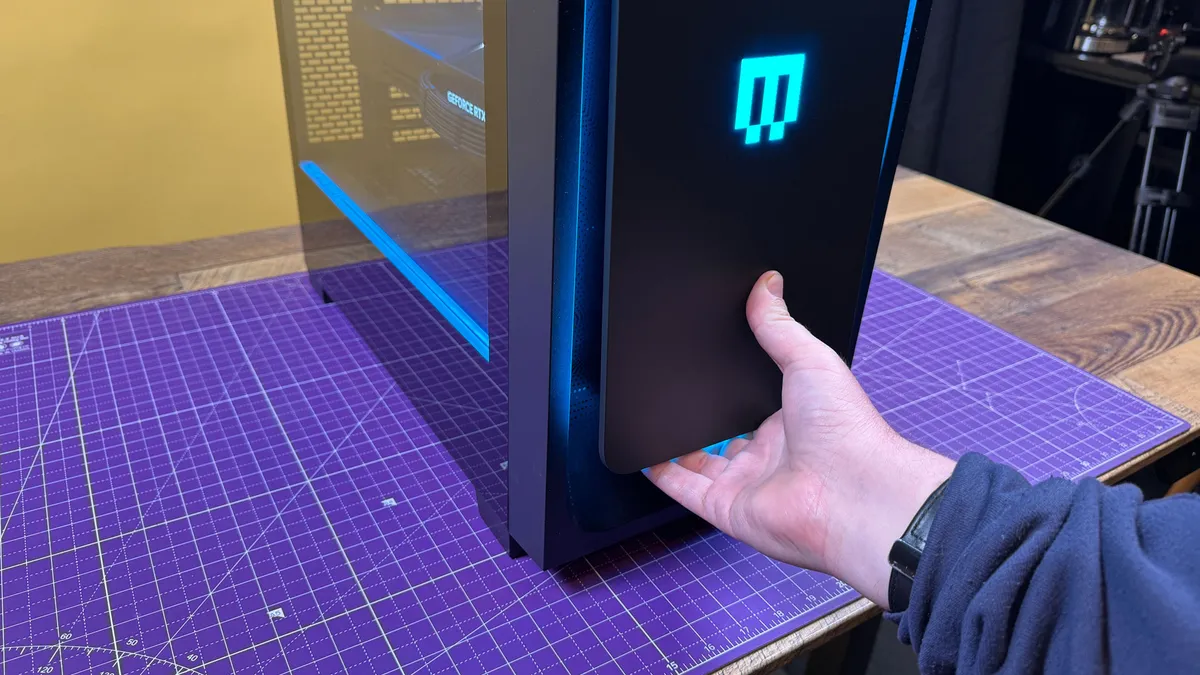
That is, except for the magnetic front panel. It's not dissimilar to the one from the original MG-1, but this one has a curved scoop around it that diffuses RGB lighting and makes it easier to replace with other custom panels that Maingear would be happy to sell you. It's also shorter, with room for your hand to slide underneath to easily pull it off to replace or clean. It's a pretty nifty system.
View Original

View Original

The 18.78 x 19.65 x 9.06-inch chassis is noticeably larger than the previous one, which was 19 x 16.88 x 8.13 inches. That extra width makes it more likely to end up on the floor than on a desk.
The front panel is in front of three 140 mm intake fans, the bottom of which sends air beneath the GPU. Another fan is located at the back of the PC to let hot air out of the case. Our review unit also has Maingear's 360 mm CPU liquid cooler doubling as an exhaust. The front intakes are behind a dust filter. Another magnetic filter is on top, above the radiator. Another filter, with a convenient handle, is beneath the power supply on the bottom of the case.
Our MG-1 review unit came with MSI Center preinstalled, which is where you would adjust the RGB lighting (most of the motherboards available are from MSI, with the exception of one Asus X870E option). While our motherboard itself didn't have any, the app was able to change the fans, a lightstrip built into the case, the RAM, and the face plate. The GPU's lighting can only be white, which is a limitation of the Founders Edition.
Get Tom's Hardware's best news and in-depth reviews, straight to your inbox.
The case itself is just fine. It's not as premium as the ones that Maingear sells using premium auto-paint. If you go for a high-end model here, you're doing it for the parts on the inside.
Maingear MG-1 (2026) Specifications
Chassis |
Maingear MG-1 MK.II |
Processor |
AMD Ryzen 9950X3D2 |
Motherboard |
MSI MAG X870E Tomahawk Max WiFi PZ |
Memory |
32GB Kingston Fury Beast DDR5-6000 |
Graphics |
Nvidia GeForce RTX 5090 Founders Edition (32GB GDDR7, 2,407 MHz boost clock) |
Storage |
2TB Samsung 9100 Pro PCIe 5 M.2 SSD |
Networking |
Qualcomm FastConnect 7800 Wi-Fi 7 |
Front Ports |
USB Type-A, USB Type-C, 3.5 mm headphone jack |
Rear Ports (Motherboard) |
HDMI, 2x USB-A 10Gbps, 3x USB-A 5Gbps, 4x USB-A 2.0, 2x USB-C 40Gbps, Ethernet, USB-C 10 GBps, Mic in, Line Out, Optical S/PDIF Out |
Video Output (GPU) |
HDMI, 3x DisplayPort |
Power Supply |
1,250W MSI MAG A1250 GL with black braided cable extensions |
Cooling |
4x 120 mm case fans, Maingear Epic 360 RGB AIO cooler |
Operating System |
Windows 11 Pro |
Dimensions |
18.78 x 19.65 x 9.06 inches |
Price as Configured |
~ $7,067 |
The price as configured isn't a massive markup over doing it yourself. When I put together a build with similar parts (the GPU, cooler, fans, and case weren't exact, as some of those are Maingear branded and the 5090 FE wasn't for sale), it came out to $6,597.02 at the time of writing. That's not bad, considering this is built so nicely.
Ports and Upgradeability on the Maingear MG-1 (2026)
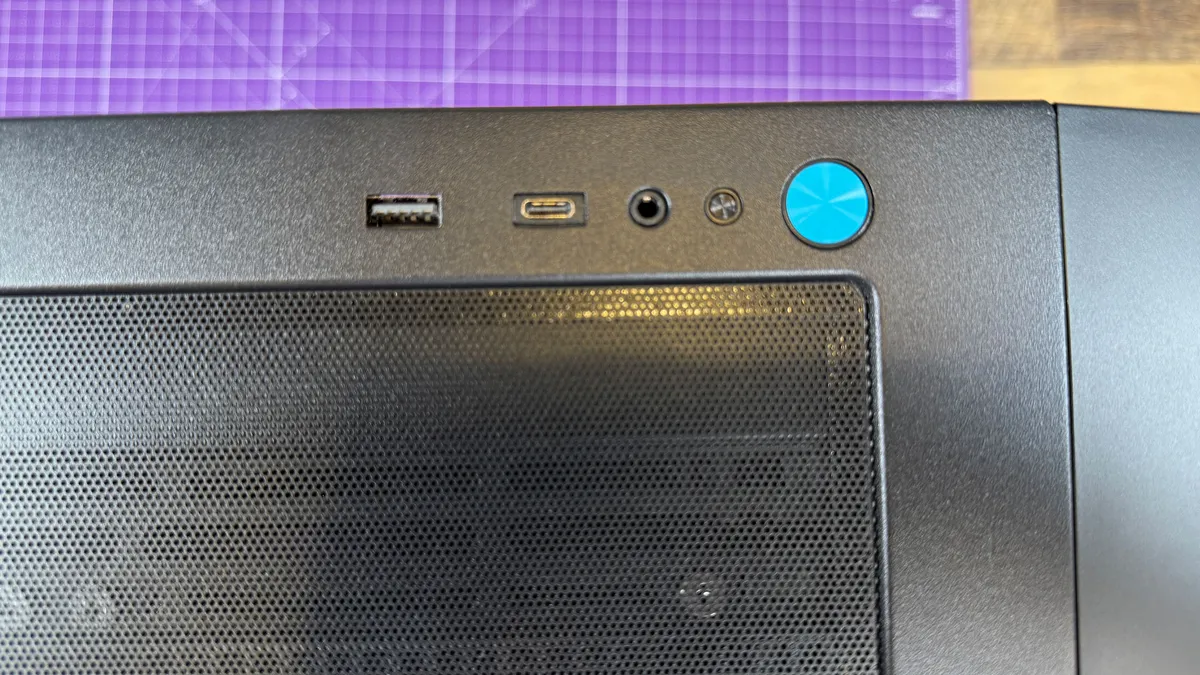
The front panel of the Maingear MG-1's new MK.II chassis doesn't have as many ports as I would like. There's a single USB-A port and USB-C port, along with a 3.5 mm headphone jack. The USB-C port seemingly fits in where a USB-A port would usually go. Maingear is actually down one port from its previous model, which had two Type-A ports. It's a significant downgrade in my eyes, and I wish Maingear kept the old port layout. Otherwise, there's a power button and a reset button.
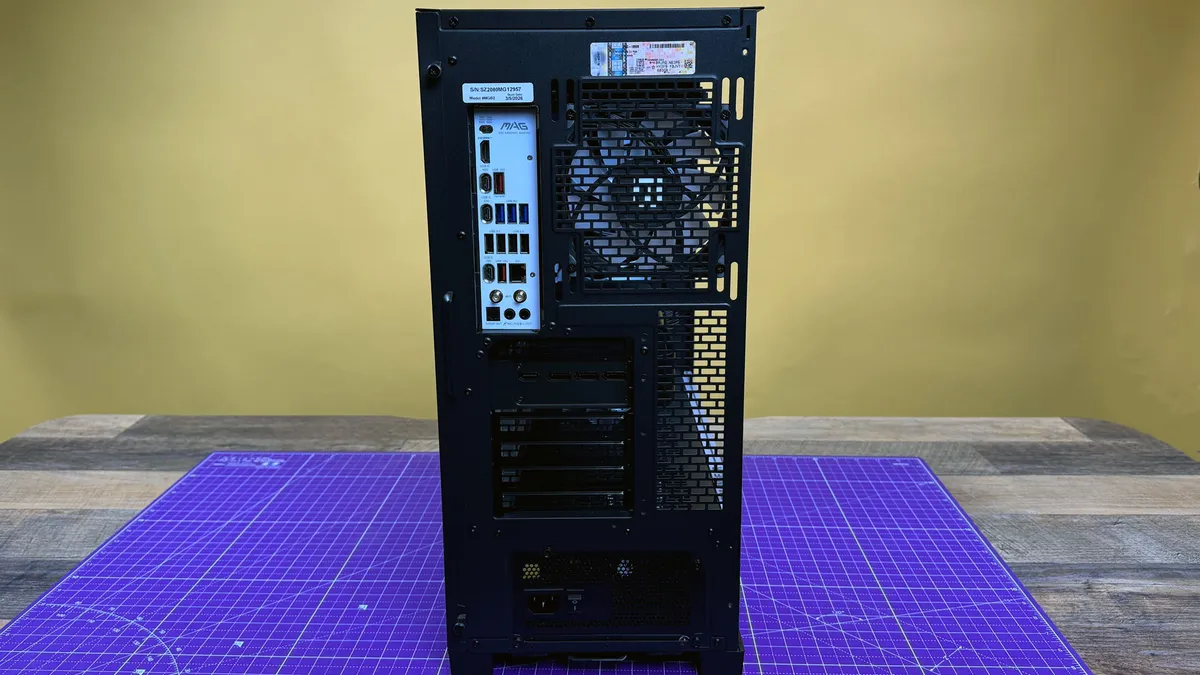
The ports on the back of the rig are entirely dependent on your motherboard. Our review unit came with an MSI MAG X870E Tomahawk Max WiFi PZ with a plethora of USB-A ports, a few USB-C ports, as well as Ethernet, audio, and HDMI connectors. Your video outputs will be based on the GPU. The RTX 5090 Founders edition has one HDMI port and three DisplayPorts. Most Nvidia GPUs have this same layout, but it’s always worth double-checking.
View Original

View Original

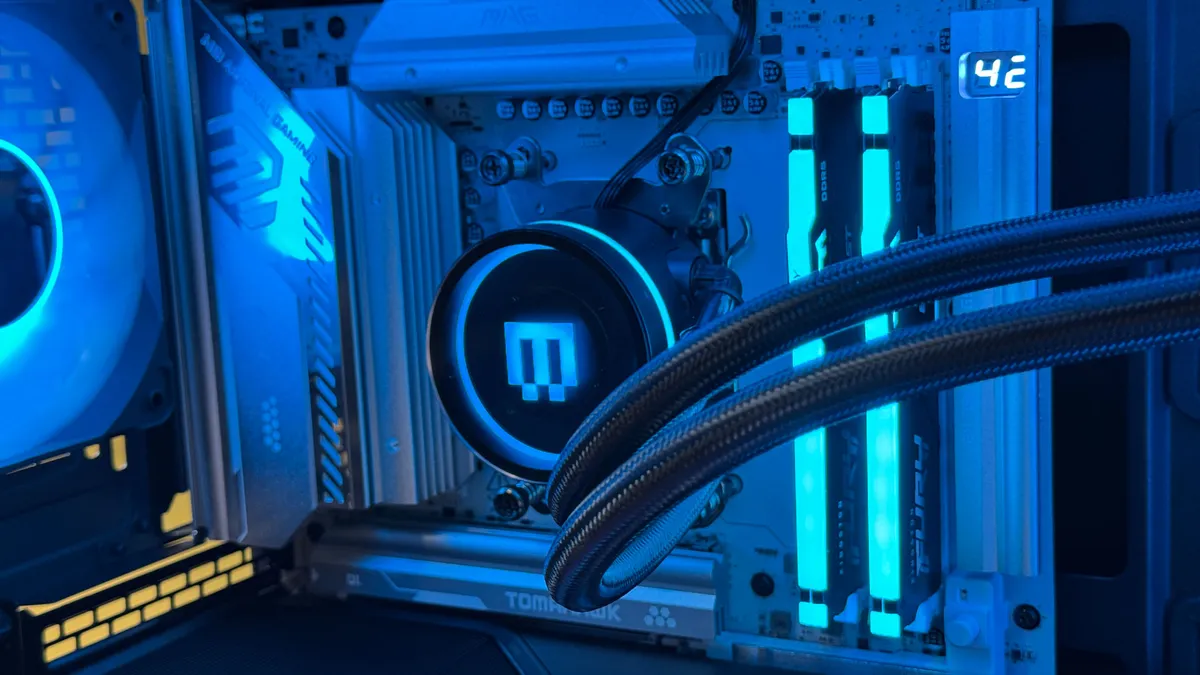
The inside of the new MG-1 is immaculate. From the glass side panel, there are almost no cables. Sure, you can see the GPU connector (our review unit included braided black extension cables to class things up), the tubing for the AIO, and a single stray cable from the CPU cooler's pump stretching through a grommet to the back. But that's it, because the motherboard uses backside connectors. You'll also see here that the GPU is supported by a bracket (it appears to be 3D printed) screwed into the case.
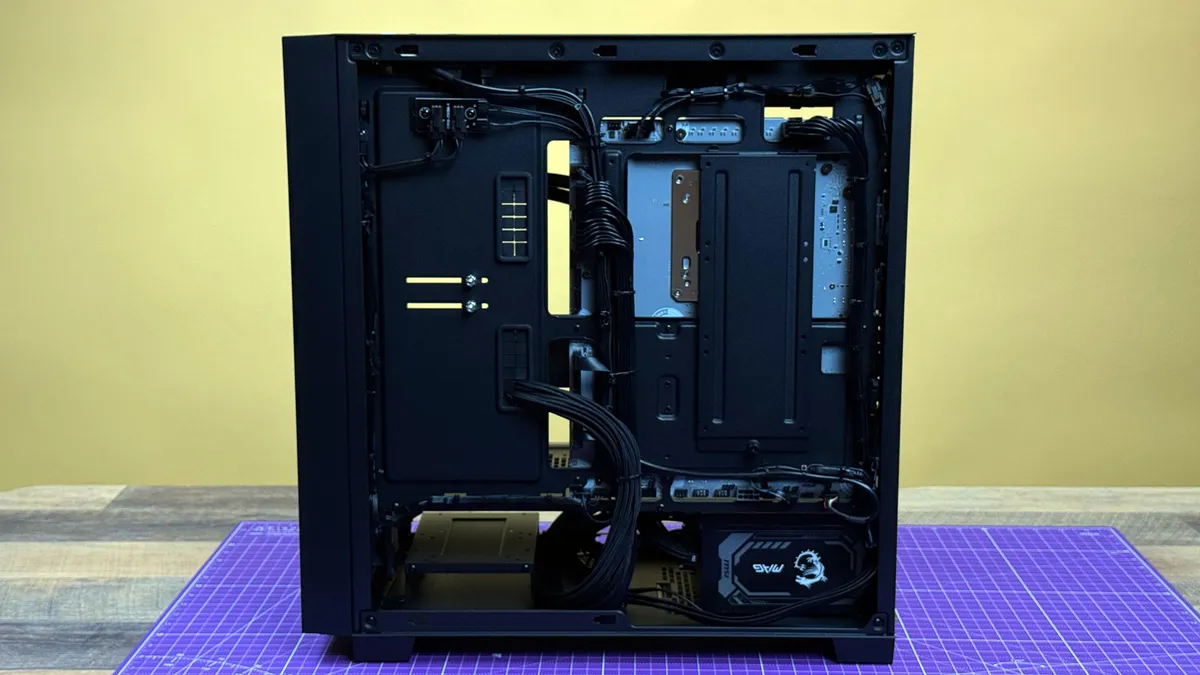
The backside is a really clean job. Everything is tied up nicely and out of the way. While I could nitpick that a few of the motherboard connectors are blocked by the job, I can't think of a way you would better wire this case. I certainly couldn't do something this nice on my own. The back also features a sled behind the motherboard where you can mount three 2.5-inch drives.
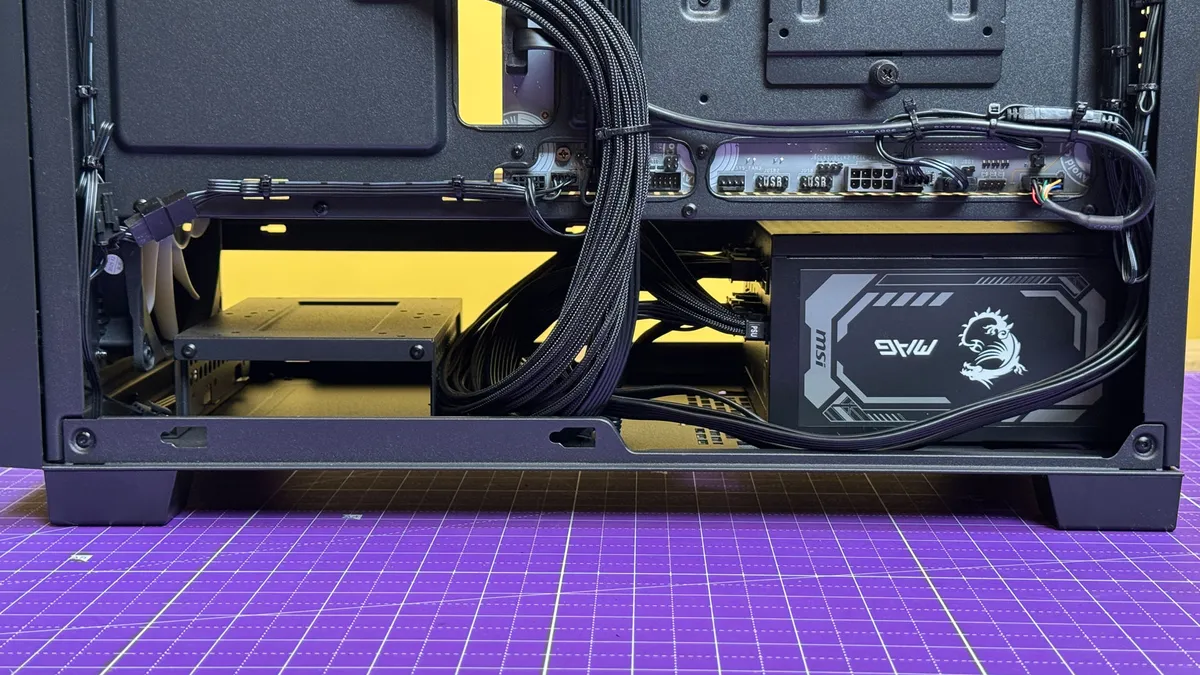
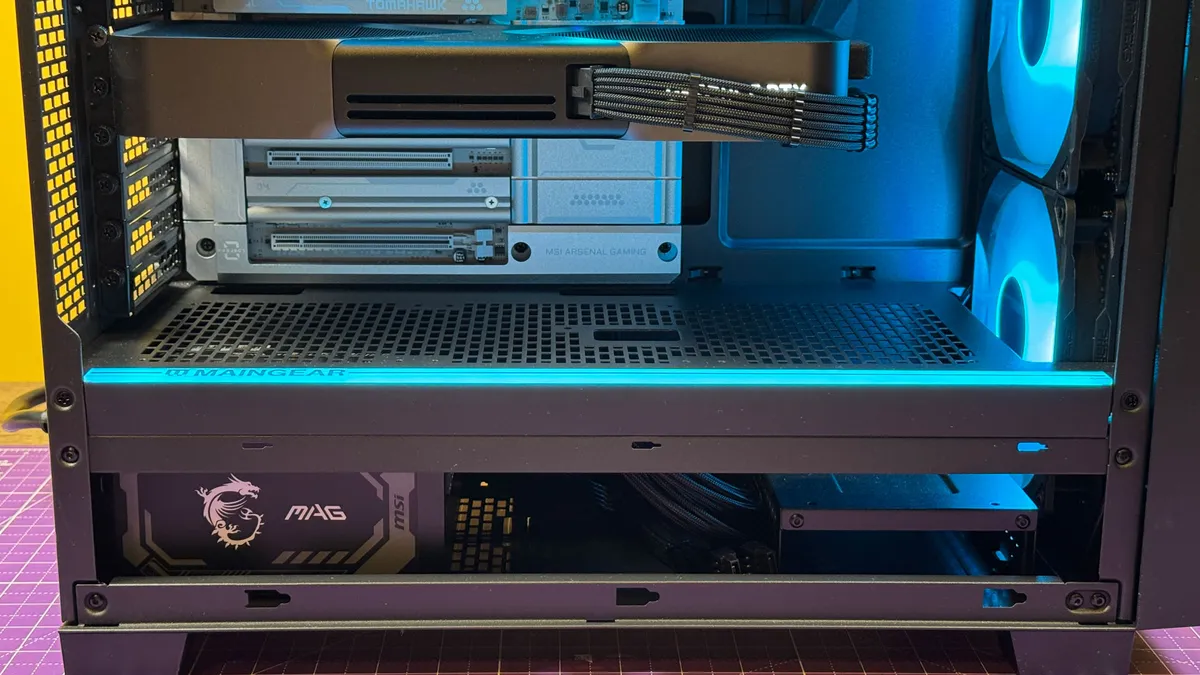
Below the main chamber, the PSU is out of the way. Extra cables are included with the system for modular power supplies, but Maingear didn't jam them underneath, which I appreciate. There's also a sled for larger hard drives, should you still like to use spinning metal.
It would be a big shame to cut open this cable management job, but since everything in this prebuilt is totally standard, you'd be able to make any upgrades you want. Our system doesn't need much in the way of upgrades right now, other than possible storage or RAM.
Gaming and Graphics on the Maingear MG-1 (2026)
Like most systems paired with the most powerful consumer graphics card you can buy, Nvidia’s GeForce RTX 5090 paired with the AMD Ryzen 9 9950X3D2, the new MG-1 tears through most of our graphics benchmarks.
I used the system to continue my playthrough of Resident Evil Requiem, and it was the most visually impressive way I've played the game so far. With these high-end components, I set the resolution to 4K with path tracing and hair strand effects on. I had the game scan the system to prioritize quality, relying on mostly high settings. I turned off frame-gen to see just what the raw metal could do, but the game mandated upscaling.
It was impressive. As Leon, traversing rooftops and covering Grace during a sniper mission, the MG-1 ran the game between 65 and 75 frames per second. It did dip to around 55 FPS during big explosions and fire effects as he approached the chapel after taking out all of the infected zombies outside. Maingear's fans were definitely audible, but they weren't at such a roar that a half-decent headset couldn't cover them.


View Original
View Original
View Original
View Original
View Original
Notably, Maingear came out significantly ahead on every single test at 1080p, though in 4K, the systems were mostly even. Where a system fell behind, it was usually the Intel-based Alienware.The Maingear was typically the top performer, but where it wasn't, like in Red Dead Redemption 2 at 4K, it was only by 1 or 2 frames — effectively within the margin of error.If you're looking to play games in 4K, this system will do it, and then some.
To stress test systems, we run Metro Exodus at RTX settings 15 times in a row to simulate about half an hour of gaming. Here, the MG-1 averaged 188.39 FPS and was consistent across the runs. The CPU cores averaged 4.6 GHz with a temperature of 59.7 degrees Celsius, while the GPU ran at 2,420.25 MHz and at 68.12 C.
Productivity Performance on the Maingear MG-1 (2026)
Unsurprisingly, a gaming rig that costs over $7,000 with an AMD Ryzen 9950X3D2, 32GB of RAM, and a fast 2TB SSD is also quite good at everyday tasks.


On Geekbench 6, the MG-1's 9950X3D2 notched a single-core score of 3,574 and a multi-core score of 23,741. Those were slightly ahead of the 9950X3D in the Alienware Area-51.The Alienware Area-51 with an Intel Core Ultra 9 285K had the lowest single-core score (3,148) while the HP Omen Max 45L's Ryzen 9 9900X3D was lowest in multi-core.
The PCIe 5 SSD in the Maingear was speedy, copying 25GB of files at a rate of 2,782.43 MBps. The Alienware Area-51 with 9950X3D, however, was one of the fastest prebuilts we've seen, at 3,414.29 MBps.The Maingear MG-1 transcoded a 4K video to 1080p in one minute and 32 seconds, the fastest of the bunch, followed by the AMD-based Area-51.
Software and Warranty on the Maingear MG-1 (2026)
Outside of the clean build, one of Maingear's largest benefits is that you avoid a lot of the excess software found on a lot of prebuilt systems.
The Maingear only came with the necessities. MSI Center was onboard, which is necessary to control the RGB lighting. It also allows for basic performance monitoring.Otherwise, our review rig came with system software from AMD and Nvidia, the major silicon manufacturers. There was no bloatware, no trials, no garbage.Windows 11 does have some of its own bloat, like putting a shortcut to LinkedIn in the Start Menu, but that's not an issue Maingear can fix.
Maingear sells the MG-1 with a one-year hardware warranty on top of the manufacturer's warranty on the components. The company also promises lifetime customer support. A 2-year warranty is an extra $99, while a 3-year extension costs $199.
Maingear MG-1 (2026) Configurations
We tested the Maingear MG-1 in an extremely high-end configuration, including an AMD Ryzen 9950X3D2, Nvidia GeForce RTX 5090 Founders Edition, 32GB of RAM, and 2TB of storage. You can see the exact parts list in the table above, but it all added up to approximately $7,067 in Maingear's configurator.
It's worth noting that the SSD in our system, the Samsung 9100 Pro, isn't available on Maingear's site as of this writing. A Maingear rep told us that "we unfortunately had to pull that from the configurator due to supply shortages." In our pricing, we used the most expensive 2TB SSD Maingear currently offers, the XPG Mars 980 Pro.
Maingear offers the MG-1 as a quickship option with 10 prebuilt options. The base model, the MG-1 Ruby, starts with an RTX 5060 Ti, Intel Core Ultra 5 225F, 32GB of RAM, and 2TB of PCIe Gen 4 storage. The top-end MG-1 Ultimate features our CPU and GPU, but goes up to 64GB of RAM and 4TB of SSD storage. Configurator models start a bit cheaper thanks to the option for an RTX 5060.
Most gamers don't need to add the Ryzen 9950X3D2 in a gaming rig. As we found in our review of the chip, it matches the Ryzen 7 9800X3D in most games and is slightly slower than the Ryzen 7 9850X3D, a chip that is $400 less on the market and $633 less in Maingear's configurator. If you're doing some specialized data science, by all means, it may help. But for gamers, that's an easy place to save money, even on a high-end rig.
Custom MG-1 builds are eligible for Maingear's BYO RAM program. So if you have a few DIMMs just sitting around or you happen to find some on a miracle of a sale, you could send them to Maingear for integration into the system.
Bottom Line
The new MG-1, in a larger case with more airflow than its predecessor, can offer seriously strong performance if you choose the right parts. The Ryzen 9950X3D2 and RTX 5090 tore through our benchmark suite. As usual, Maingear delivers on the boutique build front. I couldn't manage cables this nicely if I tried. I wouldn't mind if the case were a bit more heavy duty, but it does the job well enough with the exception of its paltry front panel port selection.
Maingear offers a ton of configurable options, so you can really make this PC your own. That does, however, make it tough to compare the fact that you could get this same case with an RTX 5060 and an RTX 5090. Some issues I have at $7,000 aren't a problem when you spend $2,000.
You buy this type of PC so that it feels like you built it, even if you didn't. This one is built more nicely than I could, with power I could only dream of. But I might pick a slightly different case with more ports if I had the money to buy a PC with specs this nice.

Andrew E. Freedman is a senior editor at Tom's Hardware focusing on laptops, desktops and gaming. He also keeps up with the latest news. A lover of all things gaming and tech, his previous work has shown up in Tom's Guide, Laptop Mag, Kotaku, PCMag and Complex, among others. Follow him on Threads @FreedmanAE and BlueSky @andrewfreedman.net. You can send him tips on Signal: andrewfreedman.01