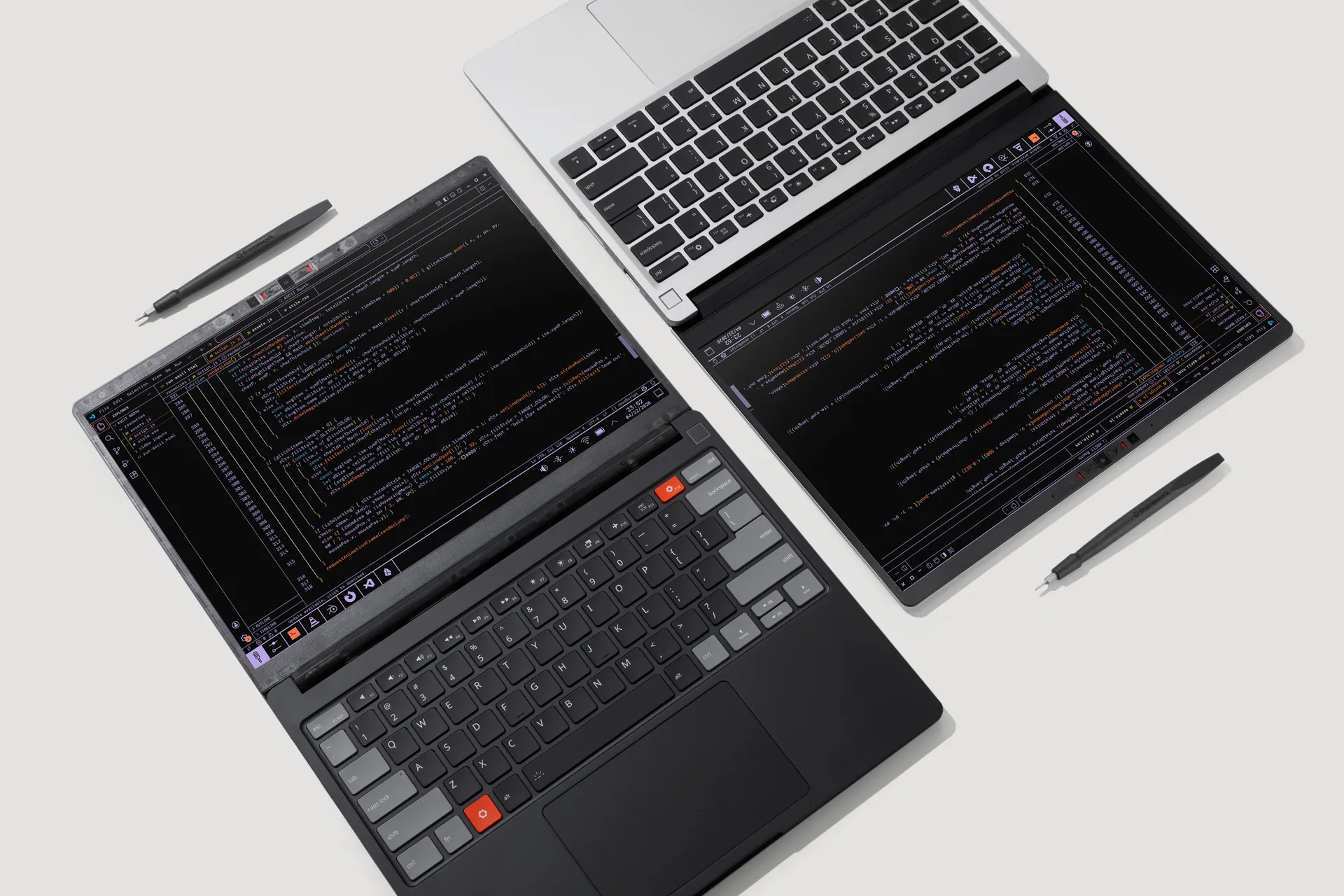
Framework’s overhauled Laptop 13 Pro brings a redesigned chassis — Intel Core Ultra Series 3 system aims to be a 'MacBook Pro for Linux users'

Framework Laptop 13 Pro
(Image credit: Framework)

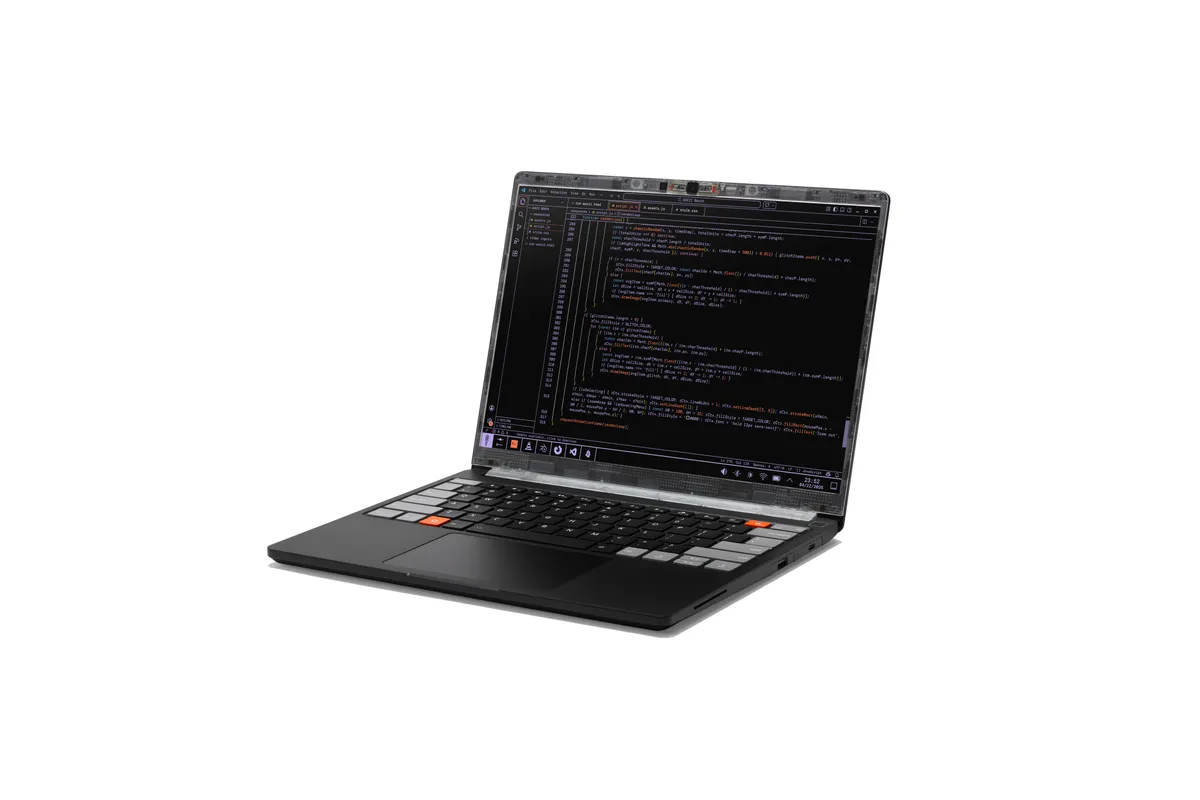
For the first time since launching the Framework Laptop 13 back in 2021, the company has redesigned the chassis and made major, fundamental improvements. That resulted in a new product, the Framework Laptop 13 Pro.

The Framework Laptop 13 Pro, announced today at Framework's Next Gen event, has a CNC-aluminum chassis, the first-ever fully-custom display on a Framework Laptop (and the first touchscreen display on a 13-inch Framework), a haptic touchpad, and a larger 74 WHr battery.

Swipe to scroll horizontally

CPU

Up to Intel Core Ultra Series 3 X9

GPU

Up to Intel B390 (integrated)

RAM

Up to 64GB (LPCAMM2)

Display

13.5-inch, 3:2, 2880 x 1920 resolution, 30 - 120 Hz, touch

Battery

74 WHr

Weight

3.09 pounds (1.4 kg)

Release Date

June 2026

Starting Price

$1,199 (DIY Edition), $1,499 (Pre-built)

On the Laptop 13 Pro, Framework is moving to Intel Core Ultra Series 3 processors, with configurations using Core Ultra 5, Core Ultra X7, and Core Ultra X9. Along with the bigger battery, Framework is touting those chips' efficiency as a way to increase time on a charge. (Existing AMD Ryzen AI 300 mainboards will also be offered.)

Latest Videos From

With the Core Ultra Series 3 comes a number of firsts for Framework, including it being the first Framework system with PCIe 5.0 support and Wi-Fi 7.
Framework Laptop 13 Pro

(Image credit: Framework)

The battery is 22% larger than the previous 13-inch Framework Laptop. To fit the physically larger size of the battery, Framework has changed the bottom cover geometry, as well as thinned out part of the keyboard deck around the new haptic touchpad. The company says you'll still have 80% capacity after 1,000 cycles. The 13 Pro also comes with a 100W GaN charger rather than the typical 60W one, to enable fast charging on this bigger battery.
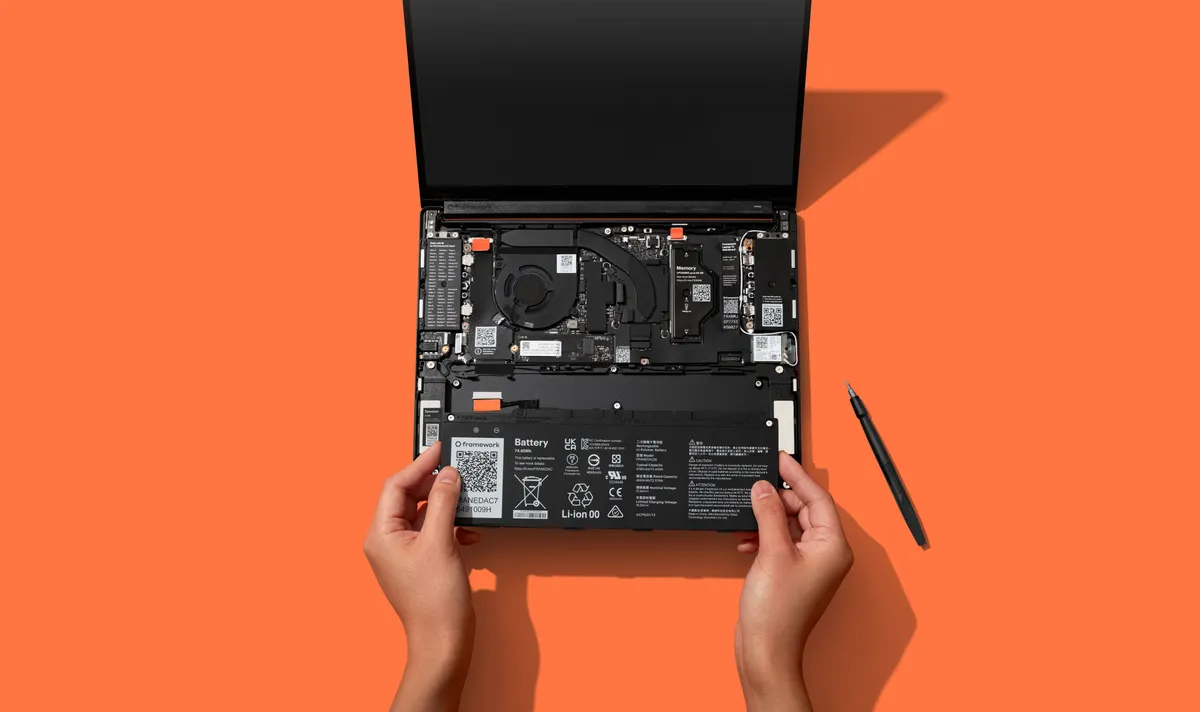
Additionally, Framework is using LPCAMM2 memory modules in 16GB, 32GB, and 64GB capacity options, with speeds up to 7,467 MT/s. Framework CEO Nirav Patel told Tom's Hardware that the company expects to have plenty of the modules in its store, which is especially important as they aren't easy to buy right now from typical storefronts. The company says it will have higher capacity modules in the future.

A new chassis and new features

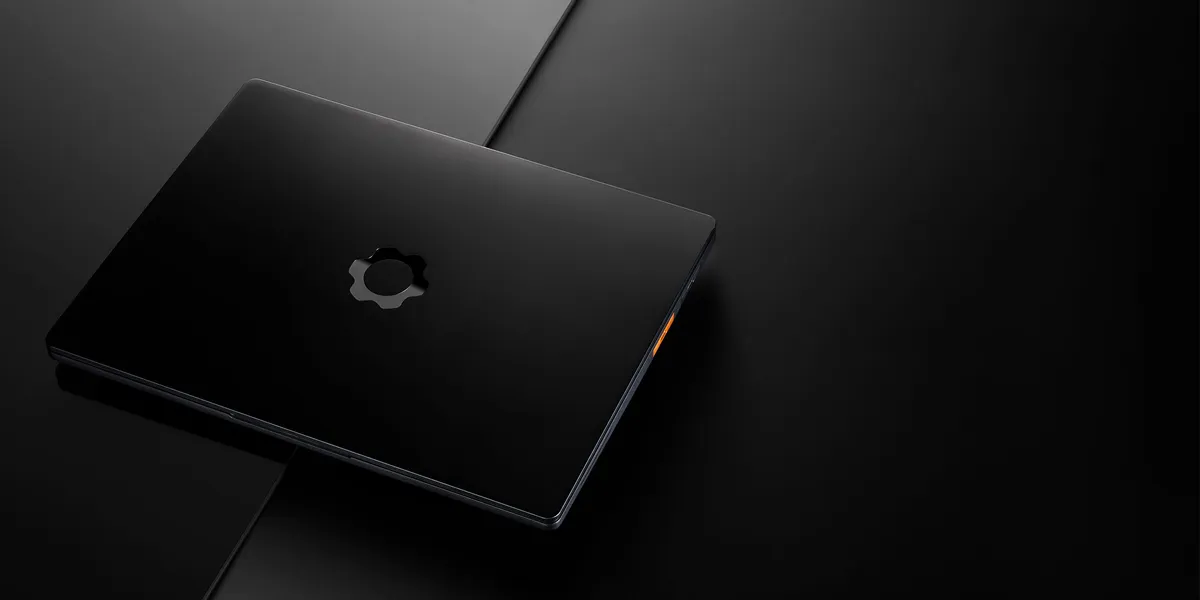
The body of the Framework Laptop 13 Pro is machined from 6000-series aluminum, which Framework says will make the system rigid. The outer dimensions are the same as the regular Framework Laptop 13, making it 15.86 mm thick. There's a new anodization color, graphite, though pieces will be available in silver for those who are upgrading an existing Framework Laptop 13. The other change to the chassis includes a simpler Expansion Card latch (much needed, in my opinion).
Framework Laptop 13 Pro

(Image credit: Framework)

You can update a regular Framework Laptop 13 (going back to the original, 11th Gen Intel version) to a Laptop 13 Pro piece by piece, including the top-cover, bottom cover, and and haptic input cover. You could do that slowly over time, though if you decide you want to add the bigger 74 WHr battery to your current machine, you'll need the new bottom cover and haptic input cover due to changes in geometry to fit the new cell.
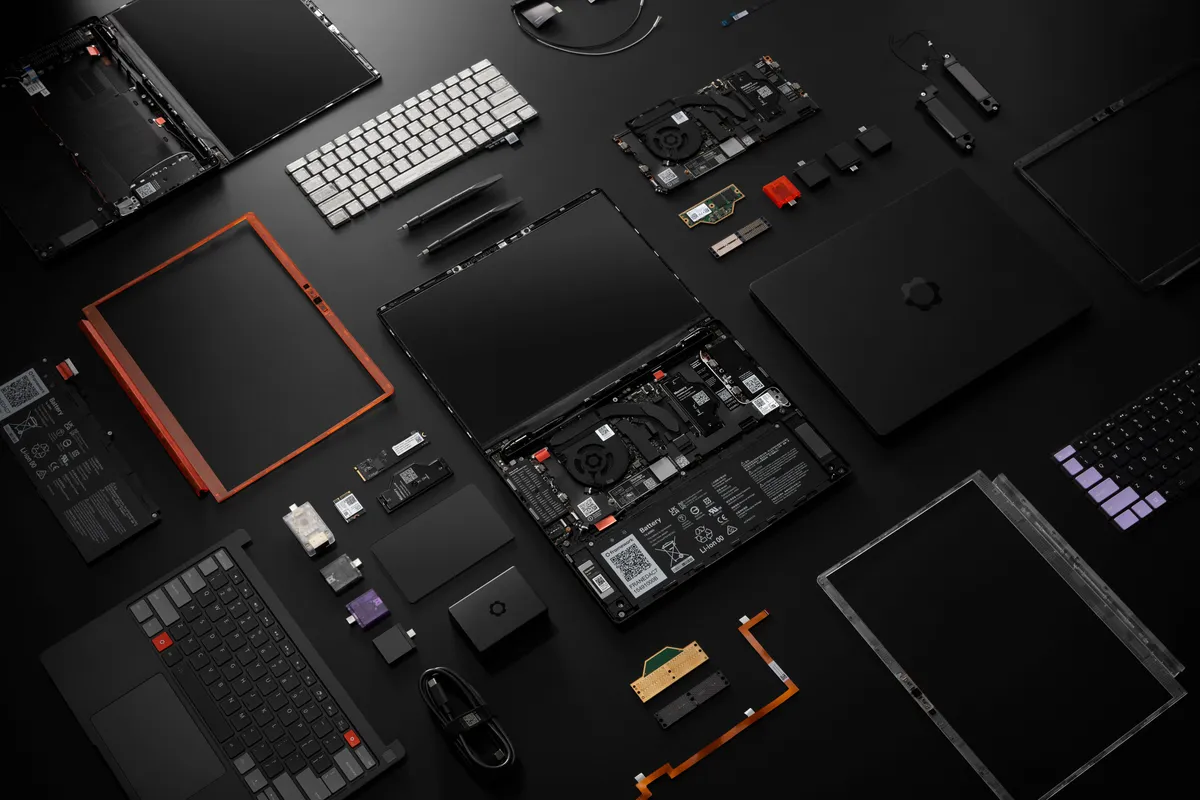
Framework Laptop 13 Pro

(Image credit: Framework)

The new haptic touchpad is sourced from LiteOn, the same vendor that makes Framework's existing mechanical touchpads. The input cover also features the keyboard, with the same 1.5 mm key travel.

The 13.5-inch, 3:2 display is the first fully-custom screen that Framework has included in a laptop. It has a 2880 x 1920 resolution, a 30 - 120 Hz variable refresh rate, a claimed brightness up to 700 nits, and anti-glare. The touchscreen is the first on a 13-inch Framework Laptop, though it has shown up on the 12-inch version.Despite the new mainboard and displays sounding radically different, they are both backwards compatible with all of Framework's earlier Laptop 14's, so you can buy the parts separately and put them in your existing system. Instead of buying a new Framework Laptop 13 Pro, you could just update the most important parts of your existing Framework Laptop 13.

Lastly, there are new speakers on the system. On Windows, there's Dolby Atmos support, but that hasn't come to Linux yet.

Ubuntu out of the box

Until now, Framework has only included Windows on its PCs that are already assembled. With the Framework Laptop 13 Pro, you'll be able to get Ubuntu installed without having to build the PC in a DIY edition. You will, of course, be able to install different flavors of Linux — or Windows — if you wish.

Framework plans to ship the Laptop 13 Pro in June. DIY editions, which require their own memory, storage, and OS, will start at $1,199, while the pre-built configurations will start at $1,499. DIY editions maybe be complicated by the availability of LPCAMM2 which isn't terribly common, though Framework itself should carry it.

Other announcements

Beyond the Framework Laptop 13, the company is also launching a slew of lesser products. There's a new laptop sleeve, as well as a keyboard with a built-in touchpad for HTPCs or headless devices (both of which are use cases for the Framework Desktop). There's also a new 10 GBps Expansion Card for faster networking. The Framework Laptop 16 is also getting new modules, including single-piece haptic touchpad inputs and keyboards to reduce the number of seams on the systems; the Laptop 16 is also getting a new Ryzen 5 processor option.
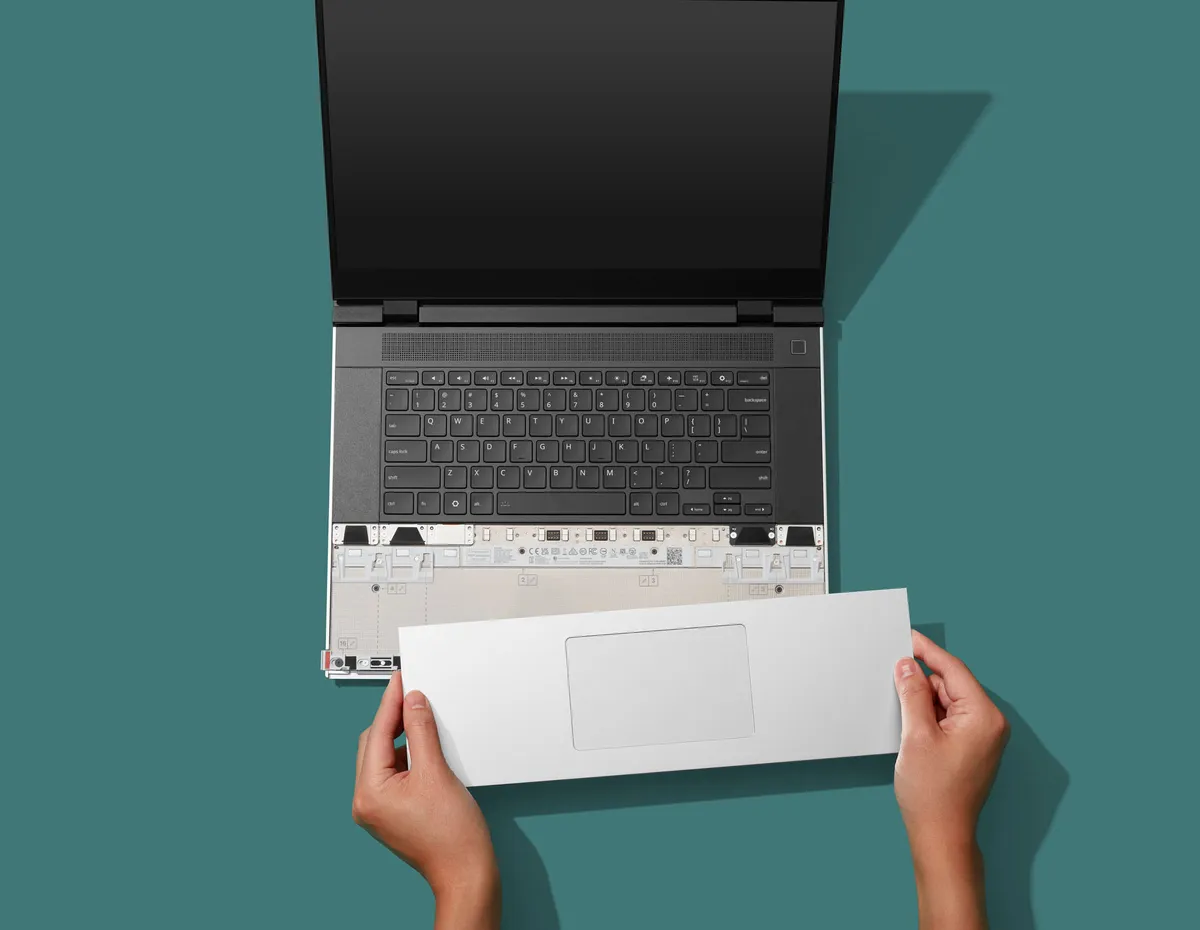
Framework Laptop 13 Pro

(Image credit: Framework)

Perhaps one of the biggest swings at the Framework DIY ethos is a new OCuLink developer kit for the Framework Laptop 16 to attach to eGPUs, which includes a module to replace the discrete GPU. The company broke out native 8-lane PCIe on the Ryzen AI 300 series, with up to 128 Gigabit bidirectional throughput. This will let you run desktop-class graphics cards without the overhead of Thunderbolt.
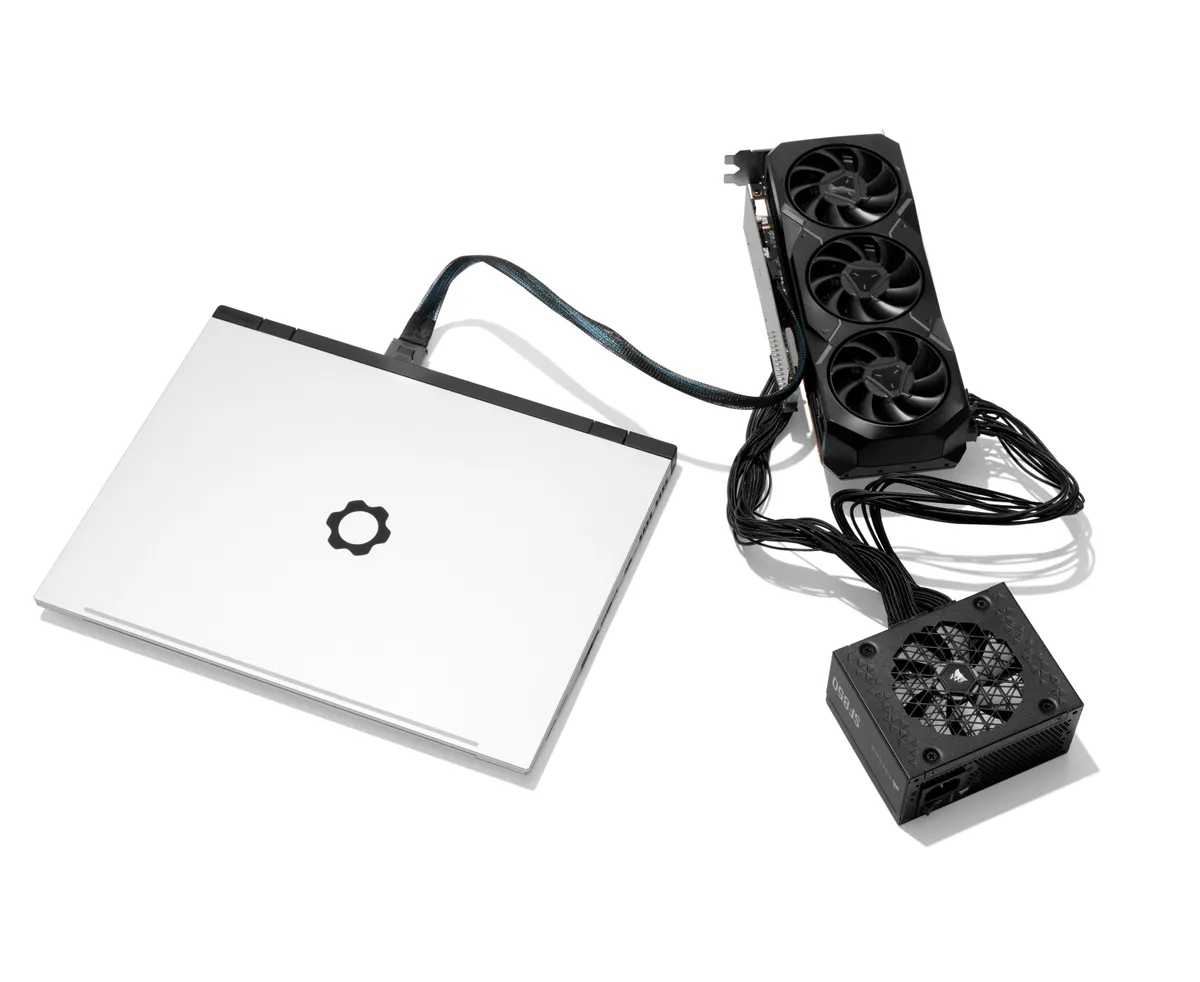
Framework Laptop 13 Pro

(Image credit: Framework)

Patel said that calling it a dev kit is deliberate, as it requires knowledge and is not a fully enclosed product. Framework will supply the boards and mechanical structure, but you'll need your own GPU and PSU. If you want to make a case, you'll have to 3D print it.

Google Preferred Source

Follow Tom's Hardware on Google News, or add us as a preferred source, to get our latest news, analysis, & reviews in your feeds.

Andrew E. Freedman
Senior Editor

Andrew E. Freedman is a senior editor at Tom's Hardware focusing on laptops, desktops and gaming. He also keeps up with the latest news. A lover of all things gaming and tech, his previous work has shown up in Tom's Guide, Laptop Mag, Kotaku, PCMag and Complex, among others. Follow him on Threads @FreedmanAE and BlueSky @andrewfreedman.net. You can send him tips on Signal: andrewfreedman.01

  • FoxtrotMichael-1
    I don't often comment on Tom's articles, but when I do it's usually to sing the praises of my Framework 13. I bought an original Framework 13 with Tiger Lake when they were released and it's still kicking, daily driving Arch. The battery life on the original Framework 13 is the one thing I've been disappointed in. I'm really glad they addressed it in the Pro.
    Reply
  • ezst036
    I sincerely wish Framework could have been successful at reforming the industry so that build your own laptops became a widespread phenomena like build your own desktops is.

    Maybe it could still happen. I hold very low hope.
    Reply
  • KDEnerd
    It's wildly impressive that they've been able to stick to the original goal after a redesign like this.

    That you can still install the new larger battery into the original model at all is above and beyond what anyone actually expected when this crazy experimented started, I think.

    Like, yeah we get into some serious Ship-of-Thessius territory. But at the end of the day, physics still apply, and they're obsessive about working around any limitations to make sure the evolution never diverges completely.

    The 12 and 16 are still unproven in my eyes, but what they've done with the FW13 is just beautiful.
    Reply
  • bit_user
    I still want a trackpad with buttons, or no sale.
    Reply
  • ottonis
    Framework are phenomenal guys, probably the most trustworthy laptop company in existence, the offerings of which are far ahead of any other commercial laptop brands in terms of customization, repairability and price-performance ratio.
    Reply
  • vinay2070
    Too expensive. You can literally pay slightly more and buy 2 laptops for the price which are more compact, light and powerful. The 13 Pro makes the series better, but still not worth the price IMO.

    If Linux isnt what you are after (most folks are windows users), the Asus X2 Elite extreme laptop is a lot more powerful and better than panther lake at just 1700ish which also comes with 48Gigs of RAM . Or the Macbook Air is also a good option at a much lower price.

    Also how many upgrades will a person do? Maybe 1 or 2? Lets say you do an upgrade after 3.5 years and use it another 3.5 years, in 7 or 8 years, the chasis will look beaten up, have scrathes etc and you have to buy new chasis covers. Or you might feel bored of looking at the same chasis for years.

    The only reason this would have made sense is if it was affordable, and not be way more expensive than a macbook pro or highend gaming laptops. Just like how self assembled desktops are less expensive than a ready to buy ones like Alienware.

    Also the max GPU you can buy is not even a 5070 Ti, just a 5070 with just 8GB of RAM and limited to 100 watts TDP.
    Reply
  • heffeque
    vinay2070 said:
    Too expensive. You can literally pay slightly more and buy 2 laptops for the price which are more compact, light and powerful. The 13 Pro makes the series better, but still not worth the price IMO.

    If Linux isnt what you are after (most folks are windows users), the Asus X2 Elite extreme laptop is a lot more powerful and better than panther lake at just 1700ish which also comes with 48Gigs of RAM . Or the Macbook Air is also a good option at a much lower price.

    Also how many upgrades will a person do? Maybe 1 or 2? Lets say you do an upgrade after 3.5 years and use it another 3.5 years, in 7 or 8 years, the chasis will look beaten up, have scrathes etc and you have to buy new chasis covers. Or you might feel bored of looking at the same chasis for years.

    The only reason this would have made sense is if it was affordable, and not be way more expensive than a macbook pro or highend gaming laptops. Just like how self assembled desktops are less expensive than a ready to buy ones like Alienware.

    Also the max GPU you can buy is not even a 5070 Ti, just a 5070 with just 8GB of RAM and limited to 100 watts TDP.
    I have to agree here.
    Pricing is too high compared to other brands.
    But it is what it is. And if one of your goals is to avoid creating electronic waste, then Framework is a better option most times.
    I got the Framework Desktop even though it was more expensive than other brands, and I couldn't be happier with the result.
    A few years ago I wouldn't have been able to afford spending that much money, so I'm fully aware that Framework is only for people who have the luxury of having deeper pockets, which sounds kind of counter-intuitive taking into consideration the philosophy of the company.
    Reply
  • Notton
    Eh, you can't please everyone.

    Seller 1: It's fully modular
    Window shopper: Yeah, but that price

    Seller 2: It's quality for a low price
    Window shopper: Yeah, but it's only got 8GB RAM and you can't upgrade anything on it.

    🤷‍♂️
    Reply
  • thestryker
    While Framework has always carried a premium it used to be around 10% for most products. The memory apocalypse has done a pretty big number on them so it's much worse than that now unless you already have DRAM/storage. This one does seem to be a well thought out improvement just the same.

    For me the most disappointing part is that the memory is minimum viable (edit: occurred to me some people might not know it's LPDDR5X-7467) and LPCAMM2 isn't particularly available on the market so it's impossible to get faster (there's Crucial LPCAMM2-7500 available which isn't really an improvement). With the market being what it is it'd be nice to get something while being fleeced.
    Reply
  • vinay2070
    heffeque said:
    I have to agree here.
    Pricing is too high compared to other brands.
    But it is what it is. And if one of your goals is to avoid creating electronic waste, then Framework is a better option most times.
    I got the Framework Desktop even though it was more expensive than other brands, and I couldn't be happier with the result.
    A few years ago I wouldn't have been able to afford spending that much money, so I'm fully aware that Framework is only for people who have the luxury of having deeper pockets, which sounds kind of counter-intuitive taking into consideration the philosophy of the company.
    The only thing I can see here is avoiding electronics waste as a +. And in that, just the chasis and the display.

    I just configured a 16" framwork laptop with 370HX, 48Gigs, 2TB, 5070 with all the required accessories and 3 year warranty and it was close to 4300.
    On the other hand the Apple 16" M5 Maxed out chip with 48Gigs, 2TB and 3 year apple care was 4500 on the Edu store. And if you have an iPhone, the apple care can cover that for just $5 a month more. And it covers accidental warrany AFAIK with a little payment.

    The macbook is Twice as good in every department, CPU, GPU, Battery, Faster memory, SSD, Display resolution, port speeds and you get a max chip with 48Gigs of unified memory for LLM stuff. One can run Linux or Windows on parallels at almost native speeds with that much memory. So OS isnt an issue as well.

    4 years down the line one can sell that macbook for almost half that price and buy one more for 2K more and you will get everything brand new including chasis, battery, better ports and a better display.

    Upgrading on Framwork the CPU, GPU, battery, USB C etc will cost you slightly less. And then it will be matching the Old macbook's performance ;) and rest of the stuff will all be old. And who will buy a 4 year old AMD CPU or GPU parts and for how much in the second hand framework market :D

    And I am comparing it to one of the most expensive laptops on the market. This definitely is for folks who are like those SFF guys. Spend more money to get smaller footprint case and lower performance as you have to downvolt stuff anyway. Just like a hobby.
    Reply