









Nvidia is finally ditching its iconic GPU Control Panel after 20 years — new driver updates only ship in the Nvidia App
The Nvidia Control Panel will no longer have features added to it, but it will still be available for download from the Microsoft Store.
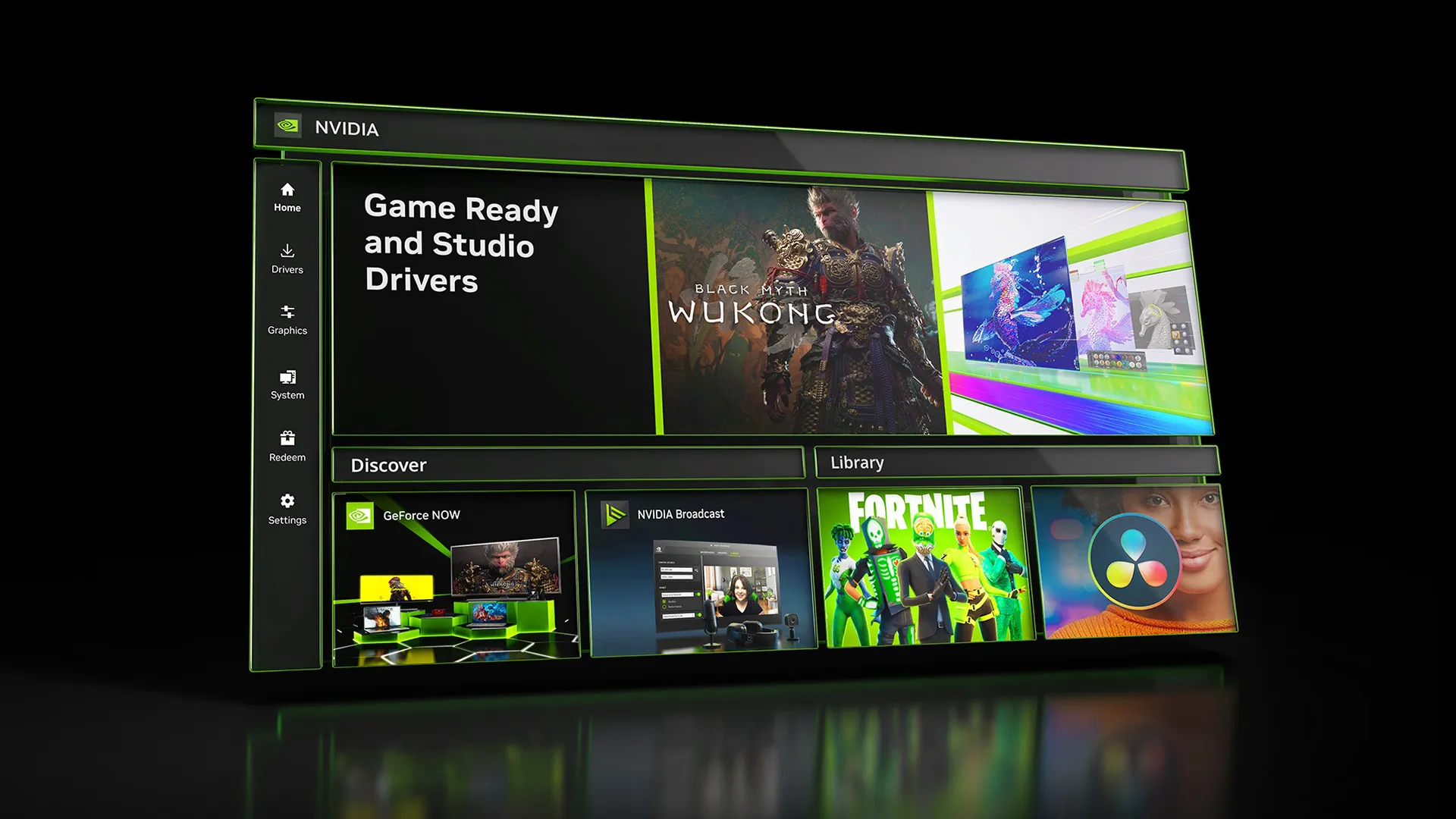
After 20 years of service, Nvidia is officially retiring the Nvidia Control Panel for good and replacing it with the Nvidia App. According to the patch notes for Nvidia’s latest Game Ready driver, the control panel will no longer have new features added to it, and will no longer be bundled with the latest Game Ready and Studio drivers for GeForce GPUs. The only exception is RTX Pro GPUs, where Nvidia will keep supporting the control panel until all “professional features” have been migrated to the Nvidia App.
The Nvidia Control Panel will now live in a “maintenance mode” for the foreseeable future. Users who still want to use the Nvidia Control Panel won’t be forced to use outdated Nvidia drivers to keep the control panel installed. Future driver updates will not delete the control panel from a user's PC unless they are installed with the “clean install” method. Nvidia is also keeping the control panel downloadable through the Microsoft Store.
This news represents the accomplishment of Nvidia’s goal to replace the Control Panel and GeForce Experience applications with one application. Nvidia has been slowly migrating control panel features into the Nvidia App since it was unveiled in 2024. Migration of Nvidia control panel tools into the Nvidia App reached a tipping point in 2025 when Nvidia finally moved 3D Settings, Multi-Monitor support, and added offline support for system-level control panel and driver options, leaving almost no features left to migrate to the Nvidia App.
It still remains a mystery why Nvidia took so long to discontinue the control panel (or update it with a better-looking UI), but late is better than never. Likely, competition from AMD’s outgoing iteration of its Adrenalin control panel was what finally incentivized Nvidia to make its own counterpart.
For the vast majority of GeForce users, there is virtually no reason to use the Nvidia control panel anymore or keep it installed. The Nvidia App has all the features you need to tune and optimize games for GeForce GPUs. The app comes with driver-level tuning, but video recording, GPU monitoring, overclocking controls, automatic game optimization, and automated driver updates. That said, it's great to see Nvidia keeping the old control panel around for occasions where the Nvidia app might be buggy.

Follow Tom's Hardware on Google News, or add us as a preferred source, to get our latest news, analysis, & reviews in your feeds.
Get Tom's Hardware's best news and in-depth reviews, straight to your inbox.

Aaron Klotz is a contributing writer for Tom’s Hardware, covering news related to computer hardware such as CPUs, and graphics cards.
-
Roland Of Gilead I've had a love /hate relationship with NVCP. Love it when it works well, and hated it with lots of bugs (far too numerous to mention).Reply
Being honest though, even though the NV App is on my PC, I haven't bothered looking at it. I guess now I will.
The times they're a changin! -
hotaru251 ReplyIt still remains a mystery why Nvidia took so long to discontinue the control panel (or update it with a better-looking UI), but late is better than never.
i still won't use new one.
It still lacks some of the option the control panel has. -
DS426 Reply
Quickly? Sure, fewer clicks, but it never loaded the initial GUI homescreen quickly nor when navigating to other pages. Not back when I had my GTX 1080 anyways, and I doubt it was made much faster since then. Faster after being loaded for a few minutes and after visiting and then revisiting the same pages, yeah, probably.rluker5 said:I like that you can quickly get to everything from the same page with the old one.
I'm surprised it's finally sunsetting just now, but I guess I can also see that not everyone has switched. That's at least decent of nVidia to keep it going still for those holdouts. -
-Fran- The one thing I liked about nVidia: their simple driver, yet powerful, solution.Reply
They just needed to improve the overall performance of the old CP and not re-skin it into the new one. That being said, if it works better and offers more functionality, the users win. Knowing nVidia, that won't be the case, LOL. I hope I'm wrong though.
Regards. -
Nolandc Reply
If you read the artical you'll noticehotaru251 said:i still won't use new one.
It still lacks some of the option the control panel has.
"Nvidia will keep supporting the control panel until all “professional features” have been migrated to the Nvidia App." -
hotaru251 Reply
all "professional" means not ALL features.Nolandc said:If you read the artical you'll notice
"Nvidia will keep supporting the control panel until all “professional features” have been migrated to the Nvidia App." -
Broly MAXIMUMER Reply
This!DS426 said:Quickly? Sure, fewer clicks, but it never loaded the initial GUI homescreen quickly nor when navigating to other pages. Not back when I had my GTX 1080 anyways, and I doubt it was made much faster since then. Faster after being loaded for a few minutes and after visiting and then revisiting the same pages, yeah, probably.
I'm surprised it's finally sunsetting just now, but I guess I can also see that not everyone has switched. That's at least decent of nVidia to keep it going still for those holdouts.
When I had the 5060ti for a week and dove into "that" old thing, it was not fast at all! And this is on actual workstation hardware...
Of course some folk just refuse to accept that the 90s are behind us, and will champion everything thats "simple" even if it wasn't all that.
When even the newcomer can come out the gate with something properly modern that actually does it all, Nvidia has no excuse. Then again, when you have to dive into bios setting just the get the driver to install without hard-locking your system, I suppose things aren't as sunny in that camp -
JTWrenn I don't trust any of these apps. They all seem to cause some weird glitch or issue. I won't be using the new one ever.Reply -
abufrejoval I am at a total loss as to why you seem to celebrate the end of a control panel...Reply
...because a control panel is really all I ever want from a GPU vendor!
I need it rarely, but I need it on all of my machines under every OS to set up the fundamentals like resolution, refresh, color depth, multi-monitor settings etc.
And then, ideally, I just leave things alone for years... or until I change something fundamental like the basic monitor setup for the desk I am operating from ...without having to relearn a foreign vendor, generation, and OS specific design langauge.
What these "apps" deliver is a Disney-Land, each one does its own using a "style guide" that's an accidental result of some corporate decision making process, to be revised over and over again, to make it more "engaging"... did I mention that I justed wanted to be done with it as quickly as possible? No matter which GPU vendor? I don't want to make that GPU app my new home and spend time enjoying it! Yet that lock-in-maxxing is the design goal universally applied...
So the first thing they do is "measure" aka spying on you, these days with the help of some hefty AI model, which whatches both you and what you do every step of the way.
Second thing it does is phoning all those insights home, all of them, and typically to be sold on to whoever gives a dime.
Third thing is it comes back with "suggestions" aka ads, which are a bane on sanity, a pest I feel obliged to exterminate rather than help along, including all transmission agents.
Fourth and new is that most likely it will "just do things for your", take control and mess things up in ways you can no longer control or fix, while opening its doors to all sorts of new vulnerabilities via the AI wounderweapon.
AMD's Radeon software is one of the main reasons I've sent back every discrete AMD GPU I've bought and tested since the last R9 290X, it just gets me scream with frustration every time I try: it's just such a total mess, I no longer care about the hardware being perhaps a better value.
And while Nvidia's app is already better by not forcing a dark mode on me without resort, a working control panel is just better and all I want. And why doesn't everyone who doesn't respect my light-mode preset in the OS get an electric shock for ignoring my preference? Who would dare to hand you chocolate ice cream when you order strawberry?
And that includes you, Microsoft, who in your infinite wisdom chose to move quite a lot of the display related settings to some "native" Win11 control, whilst others remain scattered among other panels, what have seen little change since Windows 95.
KDE has some sanity by comparison, but of course it lacks some controls, which are device specific, always an issue when features explode faster than abstractions and style guides can accomodate.
Perhaps there is a place for game tuning and cheats, overriding all the "intelligence" and automation that game and game-engine vendors already try to put into their software.
But let it be completely separate from a control panel, which is about configuring for work, not for some type of masochist "pre-game warm up" where the struggle is to get those software warriors cooperate enought so you can just enjoy the game.